Default
Subscription
Claude subscription (Claude Code), ChatGPT plan
Nothing beyond your subscription fee. Use counts against the subscription's limit.
Open Hangul (HWP), Word, Excel, PowerPoint, PDF, EPUB, Markdown, HTML, mind map and diagram files in tabs, edit them, and save them in their original format. Anyone can use it for free.
Beta · Windows 10 and 11 (64-bit) · Mac (Apple Silicon · Intel) · Linux (x64 · deb, rpm) install guide
downloads in total Windows installs Mac installs Linux installs GitHub stars
Hangul
Open and edit the documents people exchange as Hangul (HWP) files, such as official letters and application forms. When you are done, save them in the original format, turn them into a PDF, or print them right away.
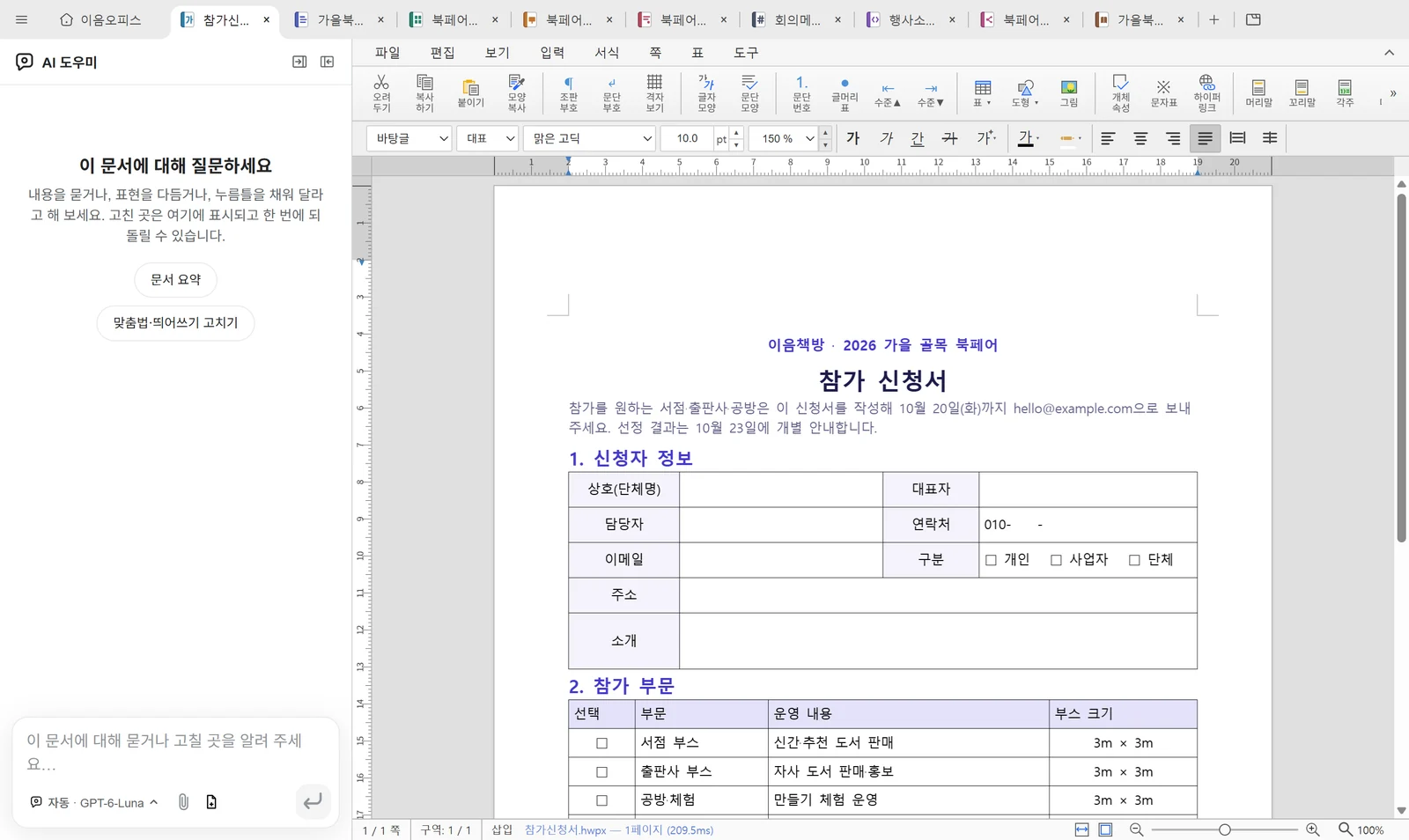
The Hangul editing screen is built with the open-source rhwp.
AI
An AI panel sits beside the editor. You can use the office without it. When there is tedious work you would
rather hand off, such as filling a table or polishing sentences, ask, and the AI edits the open document with
the app's own editing tools. Save the requests you make often as skills, and call them up by typing
/ in the input box.
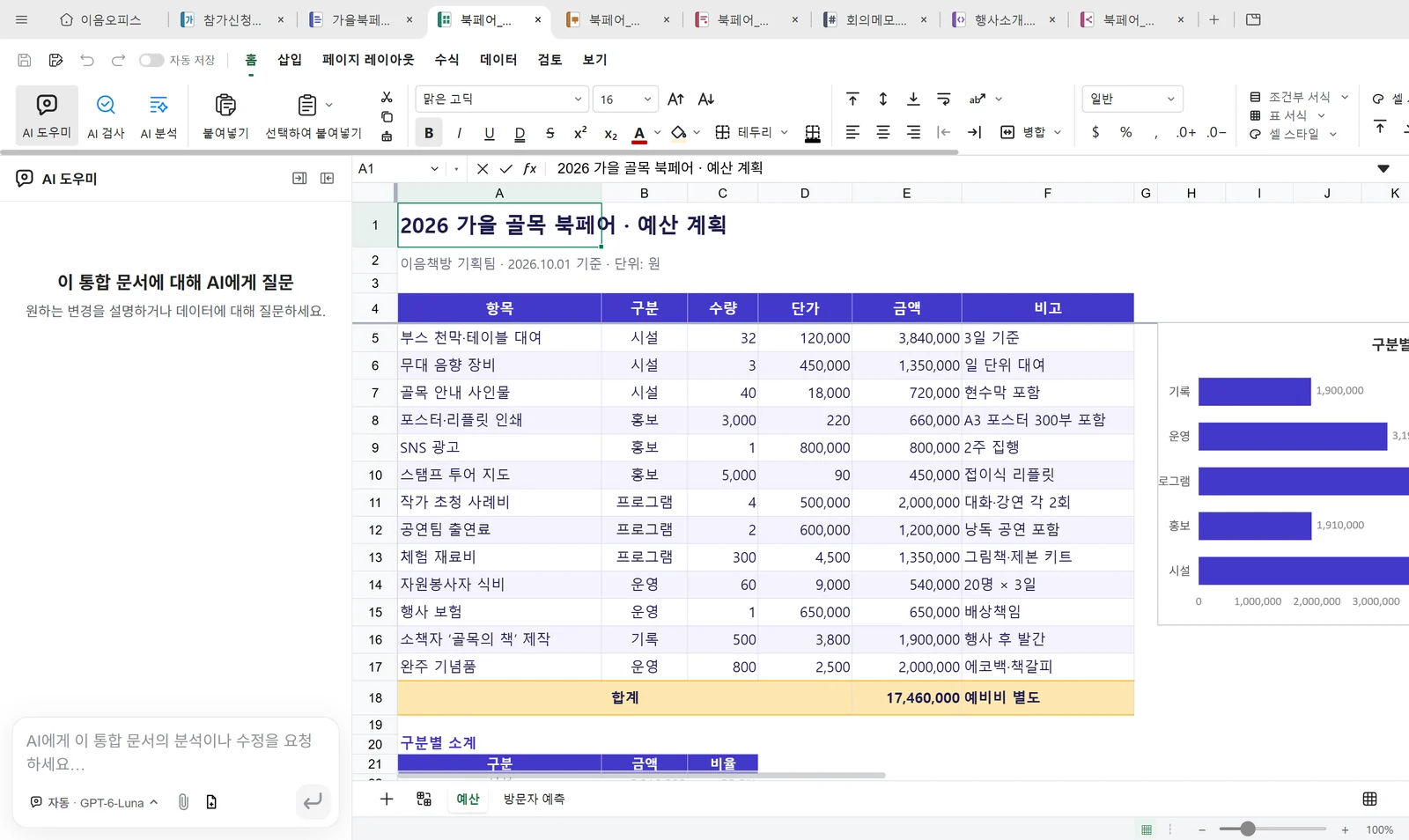
The conversation on screen is an example for illustration.
Cost
IeumOffice gets its answers through the Claude or ChatGPT subscription you already have. Requests count against your subscription's usage limit, and you don't need to create an API key.
Default
Claude subscription (Claude Code), ChatGPT plan
Nothing beyond your subscription fee. Use counts against the subscription's limit.
Without a subscription
OpenRouter, Google Gemini
Nothing within the free limit. You connect it in Settings.
Only if you choose it
API key, pay-as-you-go account
You pay that company for what you use.
When the subscription limit is used up, requests stop and the app tells you why. If it can tell when you can use it again, it says that too. It never switches to a paid connection by itself.
Privacy
IeumOffice sends no usage statistics, and your documents are opened and saved on your PC. What leaves your PC is what you send to an AI company when you ask its AI for something.
Read the full privacy policyDevelopers
The app includes the terminal command ieumoffice, an MCP server and an agent skill. Register them in
Settings → Integrations, and Claude Code, Codex and Cursor can read and edit the same files.
PS> ieumoffice docs read fall-book-fair-plan.docx
PS> ieumoffice sheet read book-fair-budget.xlsx
PS> ieumoffice open book-fair-talk.pptx
Open source
IeumOffice is itself open source, released under Apache-2.0. It was possible thanks to the projects below. Only the main projects are listed here; the license notices are in the repository's NOTICE file.
We took no code from these; we studied their features and design.
If IeumOffice helps you, please star it on GitHub. Each star helps the next person find this program.
Install
Use the button below to get IeumOffice-Setup.exe. It is for 64-bit Windows 10 and 11.
Because it is a new free program, Windows may show a warning. If you get stuck, pick the screen you see below. We'll show you where to click.
In the first-run guide, connect your Claude or ChatGPT subscription. Without a subscription, connect a free AI. If you get stuck, see AI connection help.
Once installed, the app checks for a new version every 4 hours. The interface comes in 21 languages. If you like it, please star it on GitHub.
If something is awkward or missing after you try it, tell us through Send feedback.
Stuck while installing? Pick the screen you see.
On a Mac or Linux: Opening it the first time on a Mac · Installing on Linux